
Fitness Age
Monitor your cardio fitness by converting VO₂ max measurements into an understandable fitness age metric.
Monitor your cardio fitness by converting VO₂ max measurements into an understandable fitness age metric.
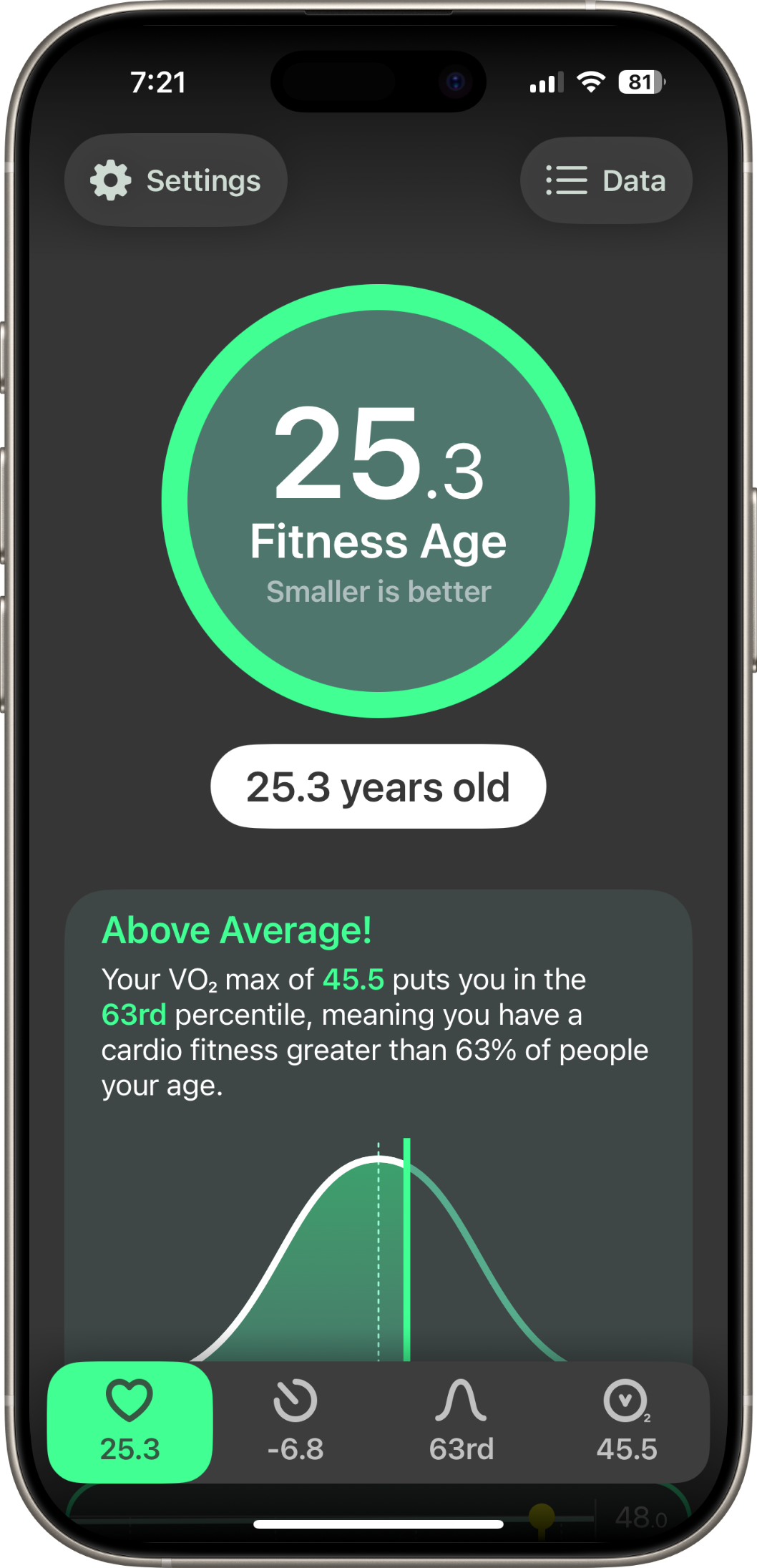
The dashboard turns your VO₂ max into a single, easy-to-understand number — your fitness age. See how you compare to the general population with your percentile ranking and whether you're above or below average, all on one screen.
The bottom tab bar gives you quick access to your key metrics: fitness age, relative age, percentile, and raw VO₂ max — so you can view your fitness the way that makes the most sense to you.
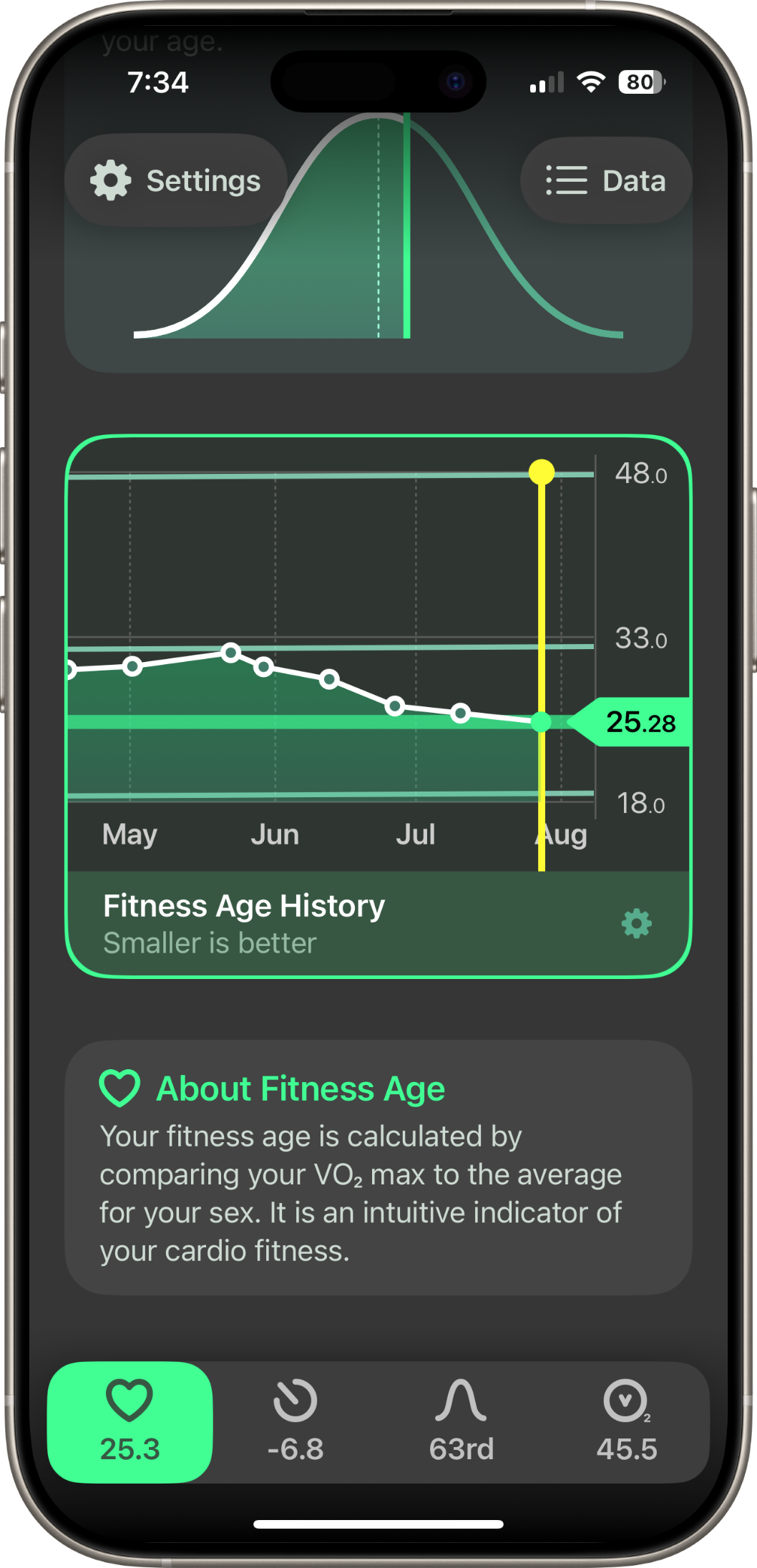
The interactive history graph lets you see how your fitness age has changed over weeks, months, or years. Pinch, zoom, and scroll to explore your data at any scale.
Customise the graph to show or hide elements to your exact preferences. It's a powerful way to see the impact of your training and stay motivated as your fitness improves.
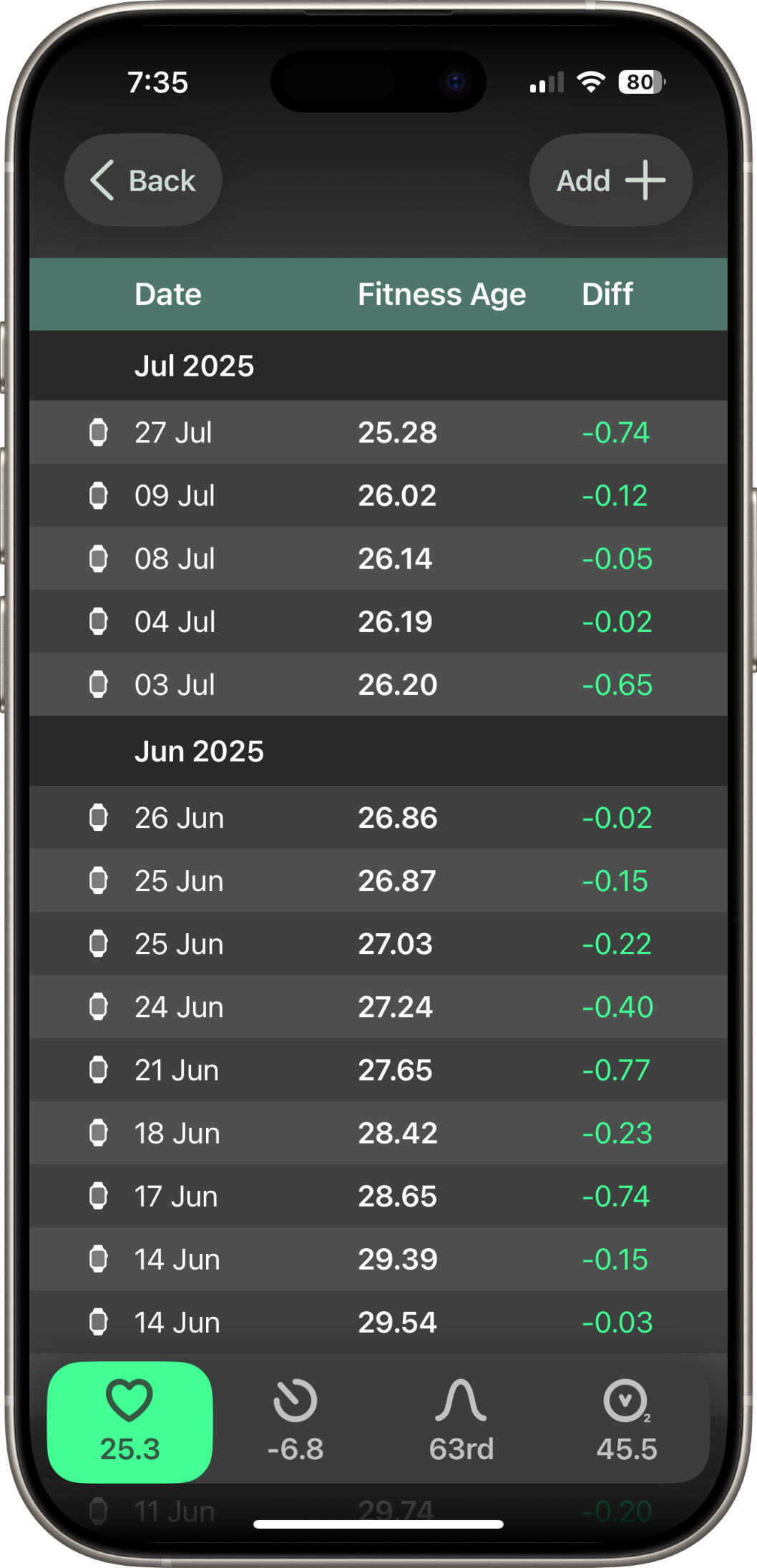
The data screen gives you a date-by-date breakdown of every measurement — your fitness age and how it changed since the previous reading. You can spot trends, identify improvements, and understand exactly what's happening with your cardiovascular fitness.
You can also add new samples directly from within the app, which save straight to Apple Health.
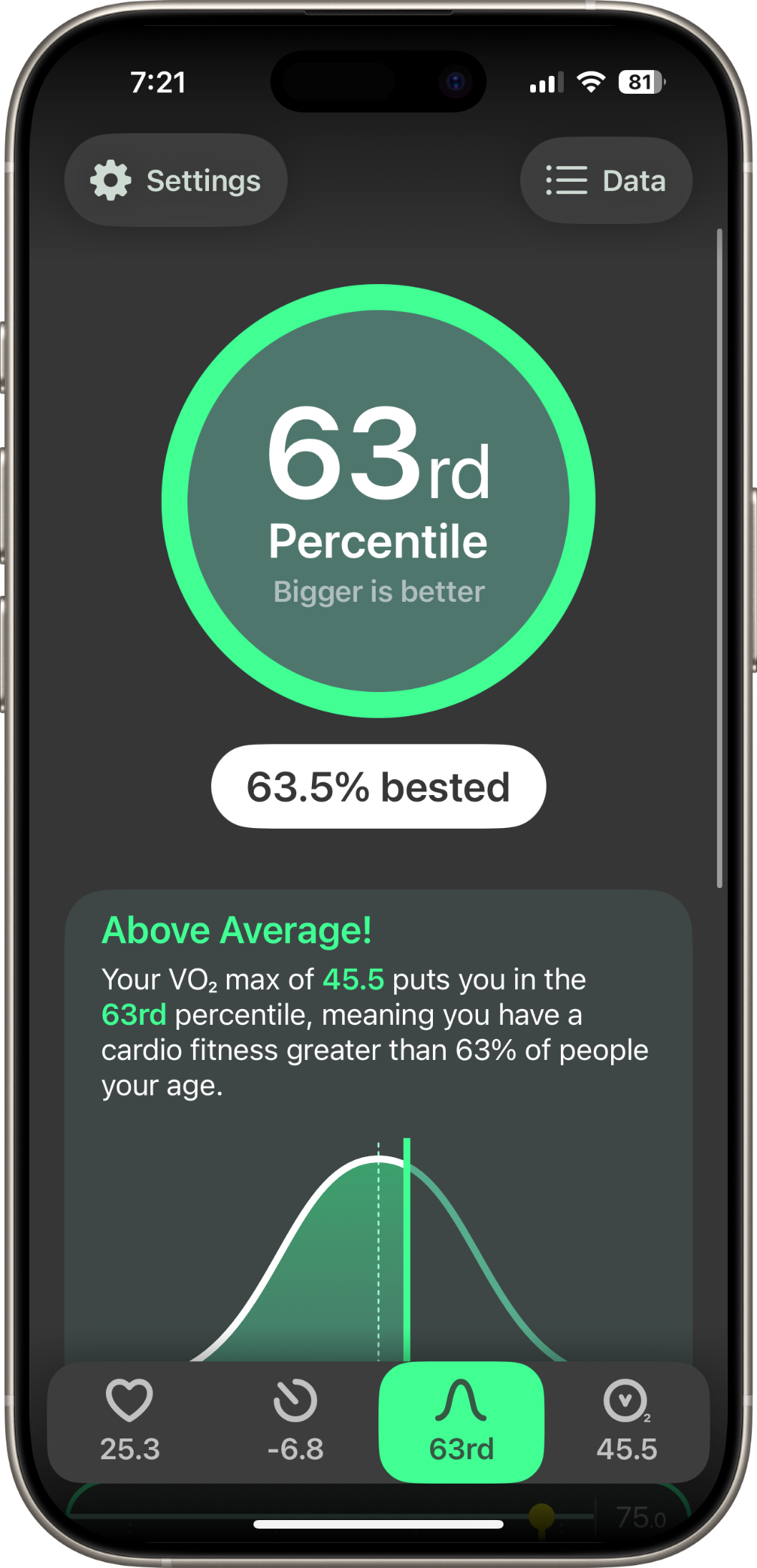
The percentile view shows how your cardio fitness compares to other people your age. A bell curve visualisation makes it easy to see exactly where you fall in the distribution.
Switch between fitness age, relative age, percentile, and raw VO₂ max using the tab bar — each gives you a different lens on the same underlying data.
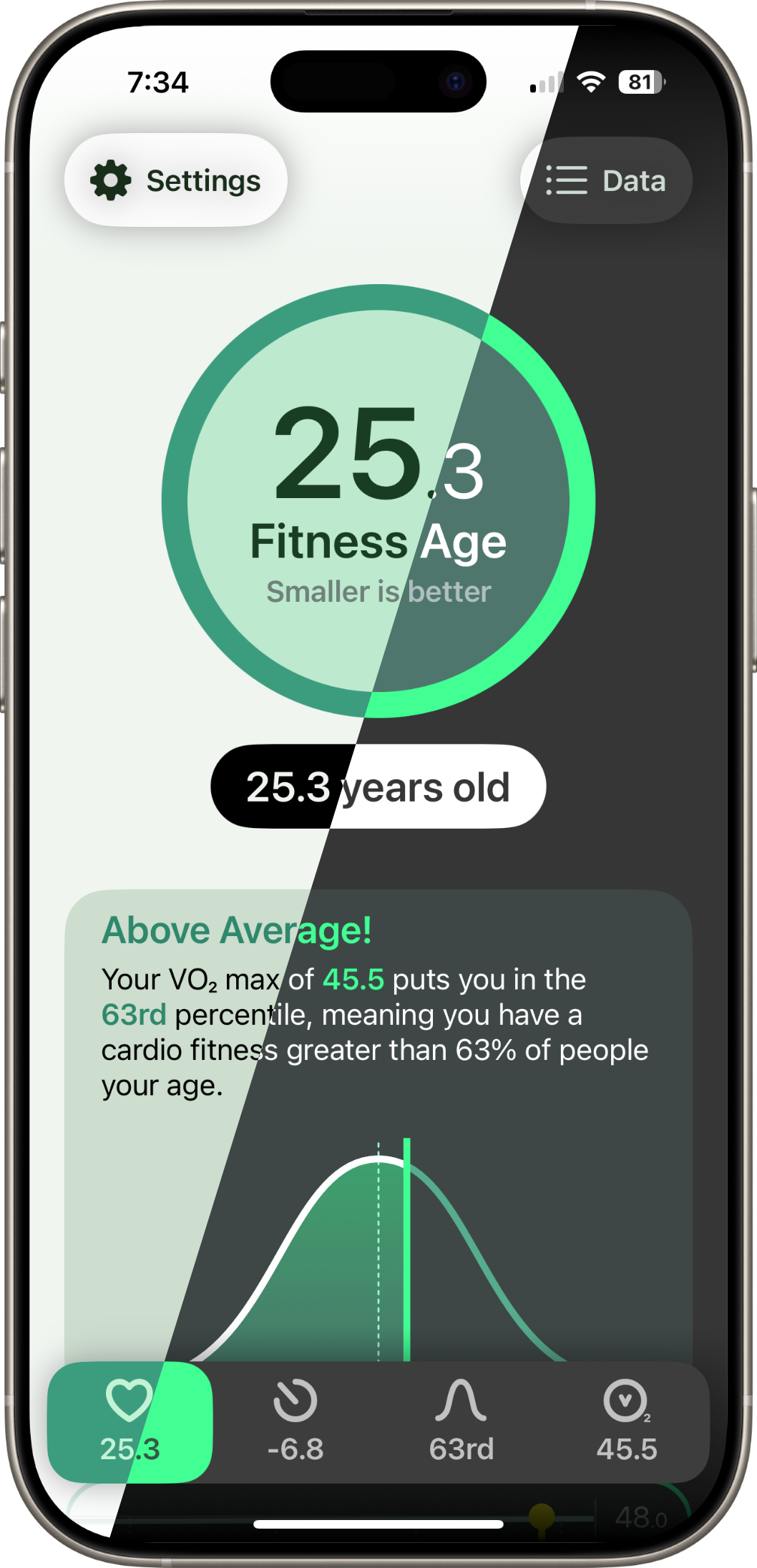
Fitness Age adapts to your system appearance settings. Whether you prefer a dark interface for late-night check-ins or a lighter look during the day, the app follows your lead.
Fitness Age reads your VO₂ max data from Apple Health — recorded automatically by your Apple Watch during outdoor walks, runs, or hikes. The app compares your value against age- and sex-adjusted reference data from the FRIEND study (Fitness Registry and the Importance of Exercise: A National Database) to calculate your fitness age, relative age, and percentile ranking.
No manual entry required. Just wear your Apple Watch and let the data come to you. You can also add samples manually from within the app if you prefer.
All your data stays on your device. Fitness Age doesn't use analytics, advertising frameworks, or external servers. Your health data is never uploaded, shared, or sold.